MetaTrader 4 vs MetaTrader 5: Key Differences and Which to Choose
Updated
MetaTrader 5 (MT5) is the newer platform that MetaQuotes still develops. MetaTrader 4 (MT4) is older, simpler and still widely used, but MetaQuotes no longer sells MT4 licences to new brokers. For a new account in 2026, MT5 is the safer default. MT4 still makes sense if your broker or the Expert Advisor you want only runs on MT4.
The deciding factor is usually compatibility, not features. MT4 and MT5 are separate platforms with separate accounts and different programming languages, so an MT4 robot (.ex4) won't run in MT5, and an MT5 robot (.ex5) won't run in MT4. Pick the platform your broker supports and your EA is built for, then look at the extras: more timeframes, a faster multi-currency strategy tester, netting accounts and exchange markets are on the MT5 side.
MT4 vs MT5: comparison table
Figures for timeframes, indicators, order types and execution modes are from the MetaQuotes product pages (metatrader4.com and metatrader5.com, checked November 2026). What you get on a real account also depends on your broker.
| Feature | MT4 | MT5 |
|---|---|---|
| Released | 2005 | 2010 |
| Status in 2026 | Maintained, no new broker licences, no new conceptual features | Actively developed |
| Programming language | MQL4 (.mq4 source, .ex4 compiled) | MQL5 (.mq5 source, .ex5 compiled) |
| Runs robots from the other platform | No | No |
| Markets | Forex and CFDs | Forex and CFDs, plus exchange-traded stocks and futures where the broker offers them |
| Timeframes | 9 | 21 |
| Built-in indicators | 30 | 38 |
| Pending order types | 4 | 6 (adds Buy Stop Limit and Sell Stop Limit) |
| Execution modes | 3 (Instant, Request, Market) | 4 (adds Exchange) |
| Position accounting | Hedging only | Hedging or netting, set by the broker per account |
| Strategy tester | One symbol, one CPU core, ticks modelled from bar data | Multi-currency, all CPU cores, real tick history, optional MQL5 Cloud Network |
| Economic calendar | Not built in | Built in |
| Application | 32-bit | 64-bit |
What MT4 and MT5 are, and where they stand in 2026
Both are trading platforms made by MetaQuotes. You download the terminal, log in to an account at a broker, and trade manually or let an Expert Advisor (EA) trade for you. Both have desktop, mobile and web versions.
MT5 isn't simply "MT4 version 5". It's a separate platform, built from the start for several asset classes, with its own language and its own account type. An MT4 account works only in the MT4 terminal and an MT5 account only in MT5, even at the same broker. Moving from one to the other means opening a new account.
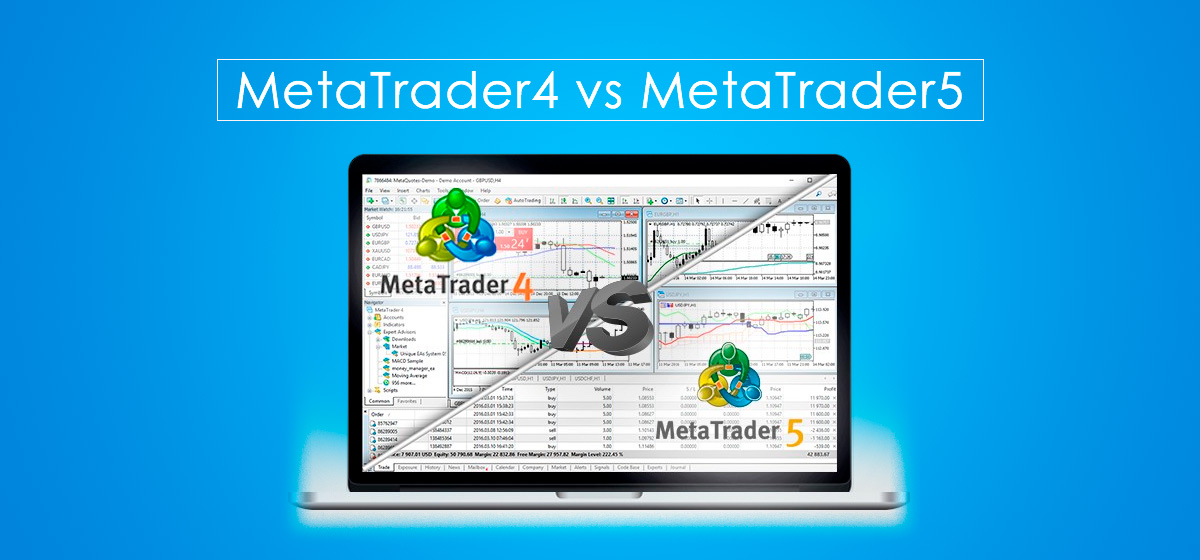
Is MT4 being discontinued?
There is no shutdown date. MetaQuotes says on its broker page that MetaTrader 4 licences are no longer available for purchase and that further conceptual updates will only be released for MetaTrader 5. In practice:
- MT4 keeps working and still gets maintenance builds. Brokers that already hold an MT4 licence can keep offering it.
- A broker that starts today can't add MT4, so new brokers launch with MT5 only.
- Some brokers steer new clients to MT5 or offer fewer account types on MT4. Check what your broker offers before you commit to a platform.
If you are still choosing a broker, our guide How to Choose a Forex Broker covers regulation, costs and account types.
Expert Advisors: MQL4 vs MQL5
This is the difference that matters most if you plan to use a trading robot.
- Not compatible. MT4 robots are written in MQL4 and compiled to .ex4 files. MT5 robots are written in MQL5 and compiled to .ex5. Neither terminal can run the other's files, and there's no official converter.
- Porting means rewriting. The two languages look similar, but the trading functions are different. MQL4 works with orders, MQL5 with orders, deals and positions. A developer needs the source code (.mq4) to port an EA, so a buyer with only the .ex4 file can't do it.
- Many commercial EAs come in both versions. The vendor compiles separate MT4 and MT5 builds of the same strategy. Check which files you get before you buy.
- The broker matters too. An EA built for hedging needs a hedging account. On MT5, that is an account setting chosen by the broker (see Hedging and netting).
MT4 and MT5 robots on ForexStore
Every robot page on ForexStore shows platform compatibility next to the rating: MT4/5 means the EA is compatible with MetaTrader 4 and MetaTrader 5, MT5 means MT5 only. Most robots sold under ForexStore Protection carry the MT4/5 label, so you can choose the platform after you choose the robot. Each page also links to a live account, so you can see how the EA has traded on real money, not only in a backtest.
Three of our brand partners, all labelled MT4/5 and NFA-compliant (FIFO, no hedging) on their pages:
- FXStabilizer PRO, with a real-money account monitored since 2016.
- FX Proctor Max, which reads the market from the daily (D1) chart.
- Forex inControl 3.0 Complete, which trades four currency pairs.
To compare more, see the best forex robots by ForexStore rating, the catalog filtered by ForexStore Protection, or the free forex robots. Once you have an EA, How to Install and Run an EA on MT4 walks through the setup, and Forex EA Settings That Matter explains the settings that decide your risk.
Backtesting: the strategy tester
Both platforms can test an EA on historical data before you run it live. The MT5 tester is the stronger one:
| MT4 tester | MT5 tester | |
|---|---|---|
| Symbols per test | One | Several in one test (multi-currency EAs) |
| Speed | One CPU core | One testing agent per CPU core, plus the paid MQL5 Cloud Network |
| Tick data | "Every tick" is modelled from M1 bars | "Every tick based on real ticks" uses the broker's recorded tick history (added in 2016) |
On MT4, many traders use third-party tick data, for example Tick Data Suite, to get more realistic results. Whichever platform you use, a backtest shows how rules behaved on past prices. It doesn't include every real-world cost, such as slippage, requotes or a broker's changing spreads. Read How to Backtest an Expert Advisor in MetaTrader 4 for the method, and How to Read Myfxbook Statistics to check a live account instead.
Hedging and netting
"Position accounting" decides what happens when you open a second trade on the same symbol.
- Hedging: every trade is a separate position. You can hold a buy and a sell on EUR/USD at the same time. MT4 accounts always work this way.
- Netting: one position per symbol. A new buy adds to an open buy, and a sell reduces, closes or reverses it. This is how exchange markets work.
MT5 supports both. The broker sets the system for each account, so an MT5 account can be either type. MT5 had only netting at launch; MetaQuotes added the hedging option in April 2016 (build 1325). An EA that opens opposite trades or several trades on one symbol, such as grid and many averaging systems, needs a hedging account. US brokers follow NFA rules (no hedging and first-in, first-out closing), so on ForexStore look for the NFA label on a robot's page. More on the costs and uses of hedging: Hedging in Forex.
Orders, markets and tools
- Pending orders. Both have Buy Limit, Sell Limit, Buy Stop and Sell Stop. MT5 adds Buy Stop Limit and Sell Stop Limit: once the price reaches the stop level, a limit order is placed instead of a market order.
- Execution. MT5 adds Exchange execution for exchange-traded instruments. For forex, what you feel in practice is your broker's execution and spreads, not the platform. See Slippage and Order Execution in Forex.
- Markets. MT4 covers forex and CFDs. MT5 can also carry exchange-traded stocks and futures, if your broker lists them.
- Analysis. MT5 has more timeframes (21 against 9, including M2, M3, H2, H6 and H12), more built-in indicators and objects, and an economic calendar inside the terminal. MT4 has a very large library of free third-party indicators built up over 20 years. Our MT4 guide covers the basics of the interface.
Which one should you choose?
Choose MT5 if
- you are opening a new account and your broker offers both;
- you want to trade stocks or futures as well as forex;
- you backtest a lot, or your EA trades several symbols at once;
- your EA or broker requires netting.
Choose MT4 if
- the EA or indicator you depend on exists only in MQL4;
- your broker offers the conditions you want only on MT4;
- you already know MT4 well and trade only forex and CFDs.
You don't have to pick one forever. Both terminals can be installed on the same computer or forex VPS, each with its own account. If you're buying a robot, choose the EA first and check which platforms it supports. For tips on judging a robot, see How to Choose the Best Forex Robot.
FAQ
Is MT5 better than MT4?
MT5 has more features: more timeframes and order types, netting as well as hedging, exchange markets and a faster multi-currency strategy tester. It's also the platform MetaQuotes still develops. MT4 is not worse for plain forex trading, and some EAs exist only for MT4. The right choice depends on your broker and your EA.
Is MT4 being discontinued?
No shutdown date has been announced. MetaQuotes no longer sells MT4 licences to brokers and releases new conceptual features only for MT5, but MT4 still works and receives maintenance builds. Brokers that already have MT4 can keep offering it.
Can I use an MT4 Expert Advisor on MT5?
No. MT4 EAs (.ex4) run only in MT4 and MT5 EAs (.ex5) only in MT5. To use a strategy on the other platform you need a separate version from the developer, or a rewrite from the source code.
Can I log in to MT5 with my MT4 account?
No. MT4 and MT5 accounts are separate, even at the same broker. To switch, you open a new MT5 account with your broker.
Which is better for beginners?
Both are fine for learning. MT4's interface is a little simpler, but MT5 is where new brokers and new features are, so a beginner who starts on MT5 won't have to switch later. Try either on a demo account first.
Is MT5 better for backtesting?
Yes. The MT5 tester can use real tick history, test several symbols in one run and use every CPU core, which makes it faster and closer to real conditions than the MT4 tester. A backtest still doesn't guarantee live results.
Does MT5 allow hedging?
Yes, on hedging accounts. Since 2016, MT5 supports both hedging and netting, and the broker sets the system for each account. MT4 accounts always use hedging.
Are ForexStore robots for MT4 or MT5?
It depends on the robot, and each robot page says which. Most robots sold under ForexStore Protection are labelled MT4/5, meaning they are compatible with both platforms. A few vendor robots in the catalog are labelled MT5 only.
Trading forex and CFDs involves risk; past performance does not guarantee future results. Platform features are based on MetaQuotes documentation as of November 2026 and may differ between brokers. This page is educational and is not investment advice.